 TorBox Control
TorBox, as a desktop app.
See downloads arrive, play or save them, run rules on a schedule, and ask the Assistant for the rest.
One window for all of it.
This is the real app with sample downloads. Scroll, and it moves through its pages.
-
Library
Every download, sorted by day
Torrents, Usenet and web downloads in one list, with speed, seeds and time left. Filter by status, tag or type, and tick rows to act on many at once.
Ctrl KSearchCtrl NAdd a download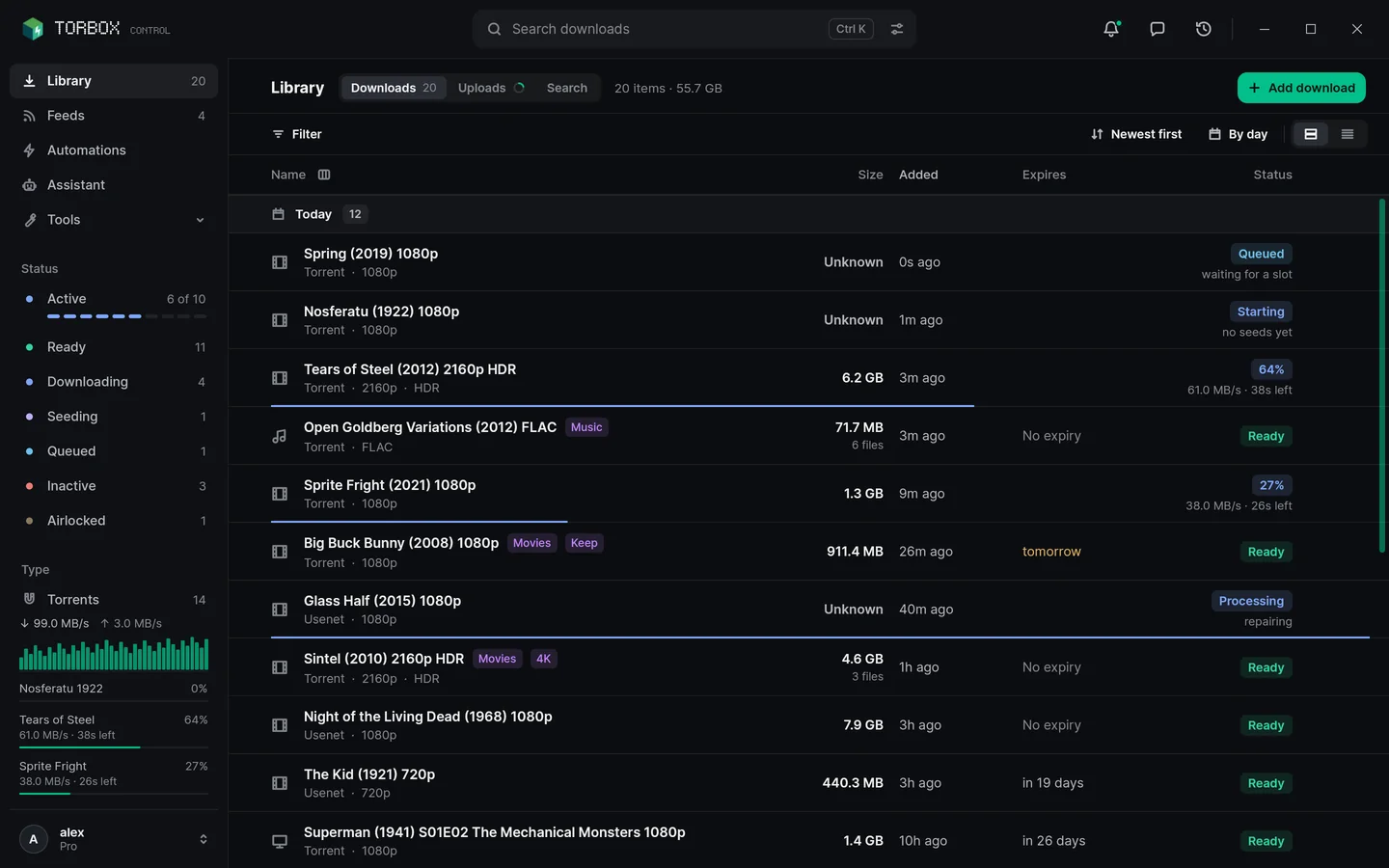
-
Uploads
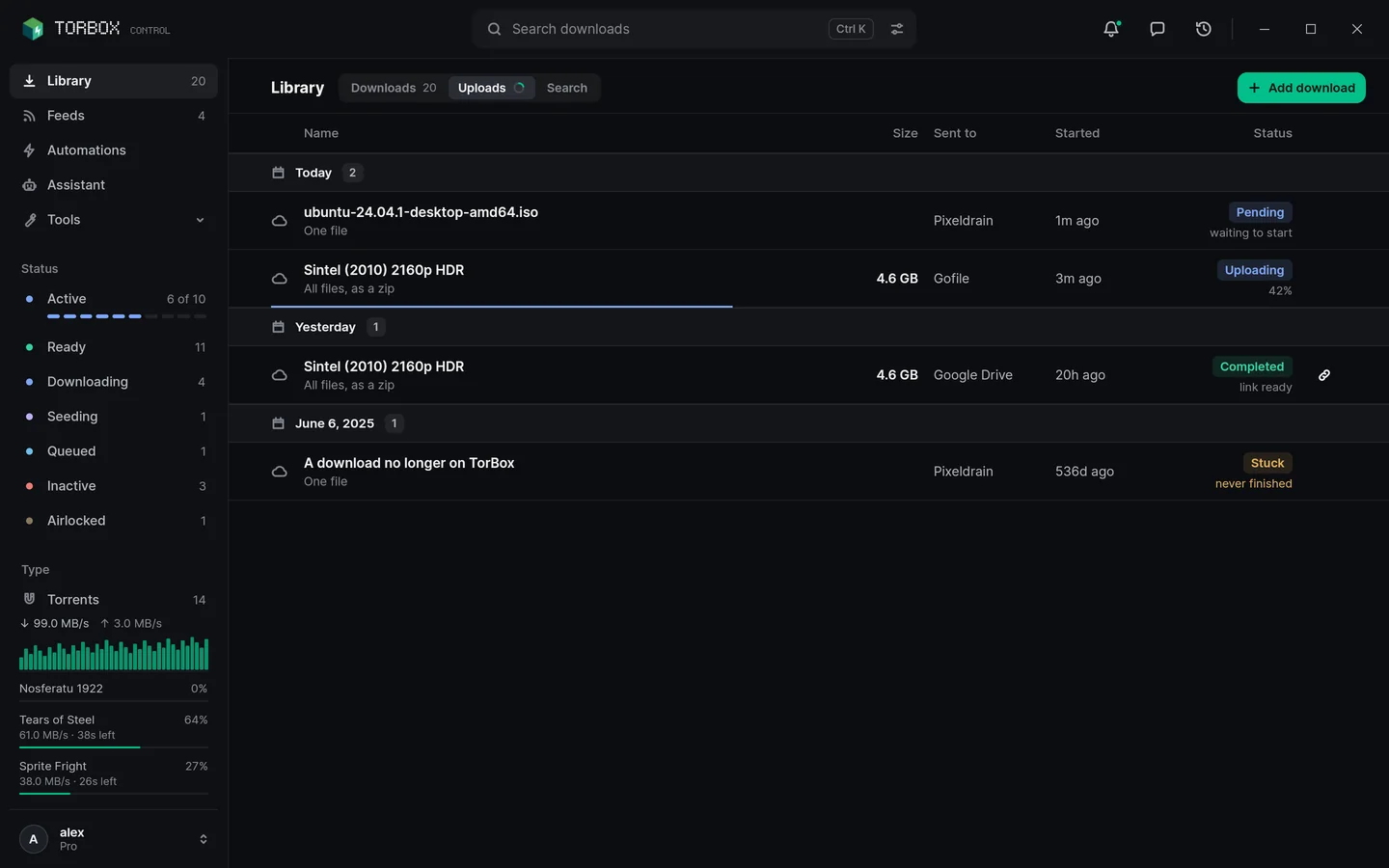
Send finished files on
Copy a download from TorBox to another host without it touching your computer, and follow each upload until its link is ready.
 Pixeldrain
 Gofile
- Google Drive
 OneDrive
 1fichier
-
Feeds
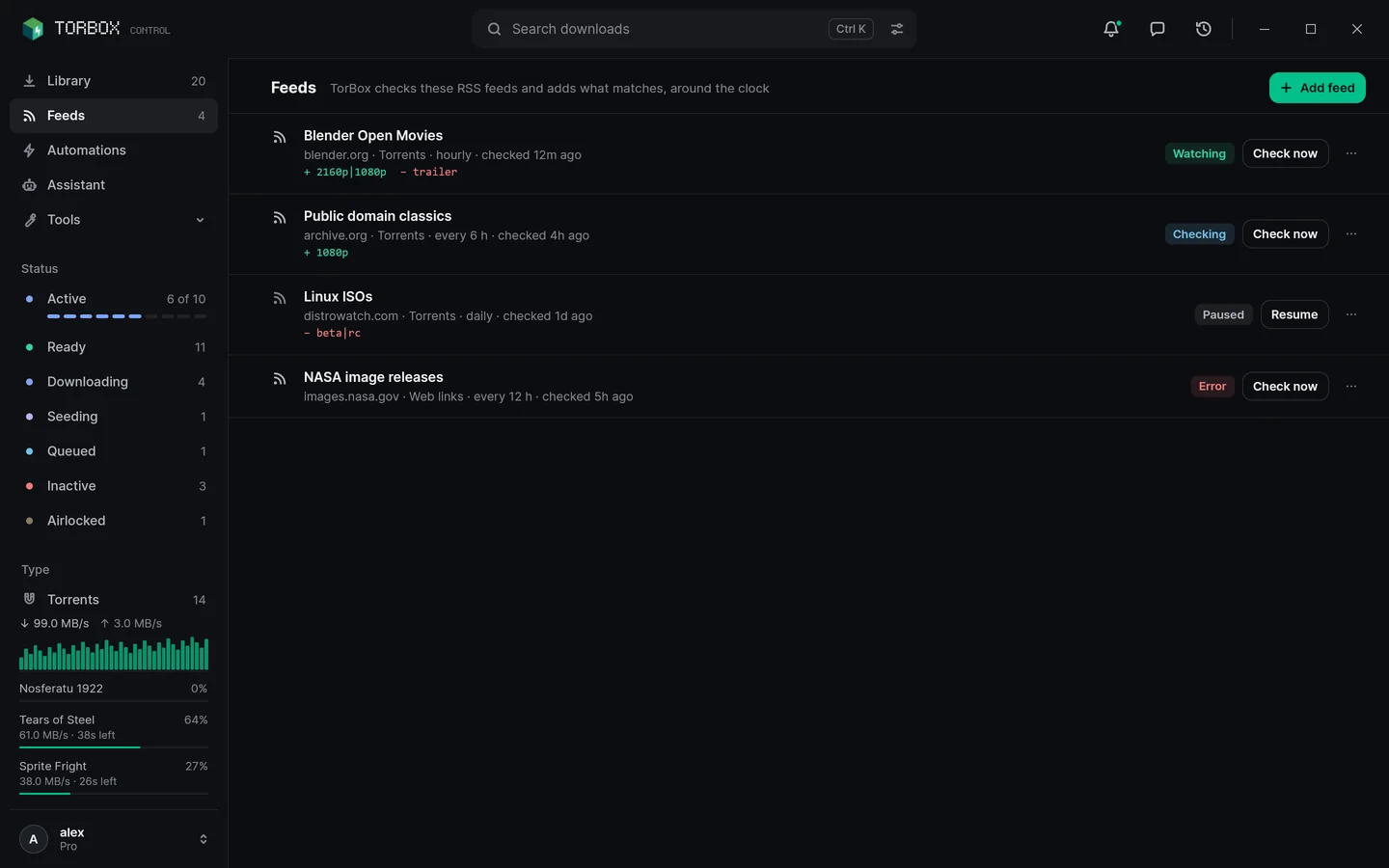
Feeds that add downloads for you
Give TorBox an RSS feed and it adds what matches, around the clock. Check one now, pause it, or see why it stopped.
-
Automations
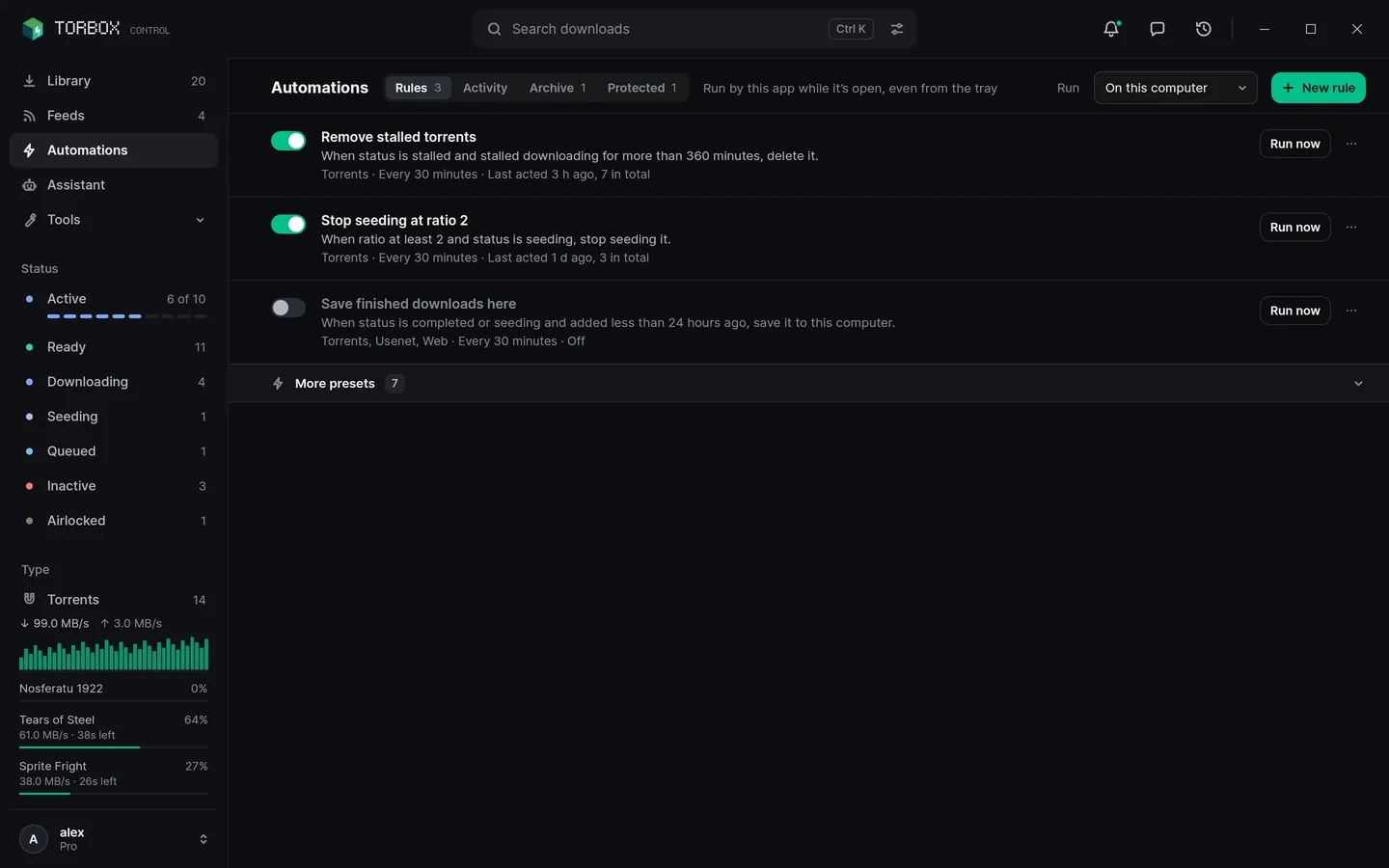
Rules that keep things tidy
Remove torrents that stalled, stop seeding at a ratio, or save finished downloads to this computer. Rules can run in the cloud, so they keep going with your computer off.
-
Assistant
Ask about what you see
Open the Assistant beside your library, paste a screenshot and ask what’s wrong. It answers from TorBox’s help articles and shows each step it takes.
Ctrl JOpen the AssistantCtrl VPaste a screenshot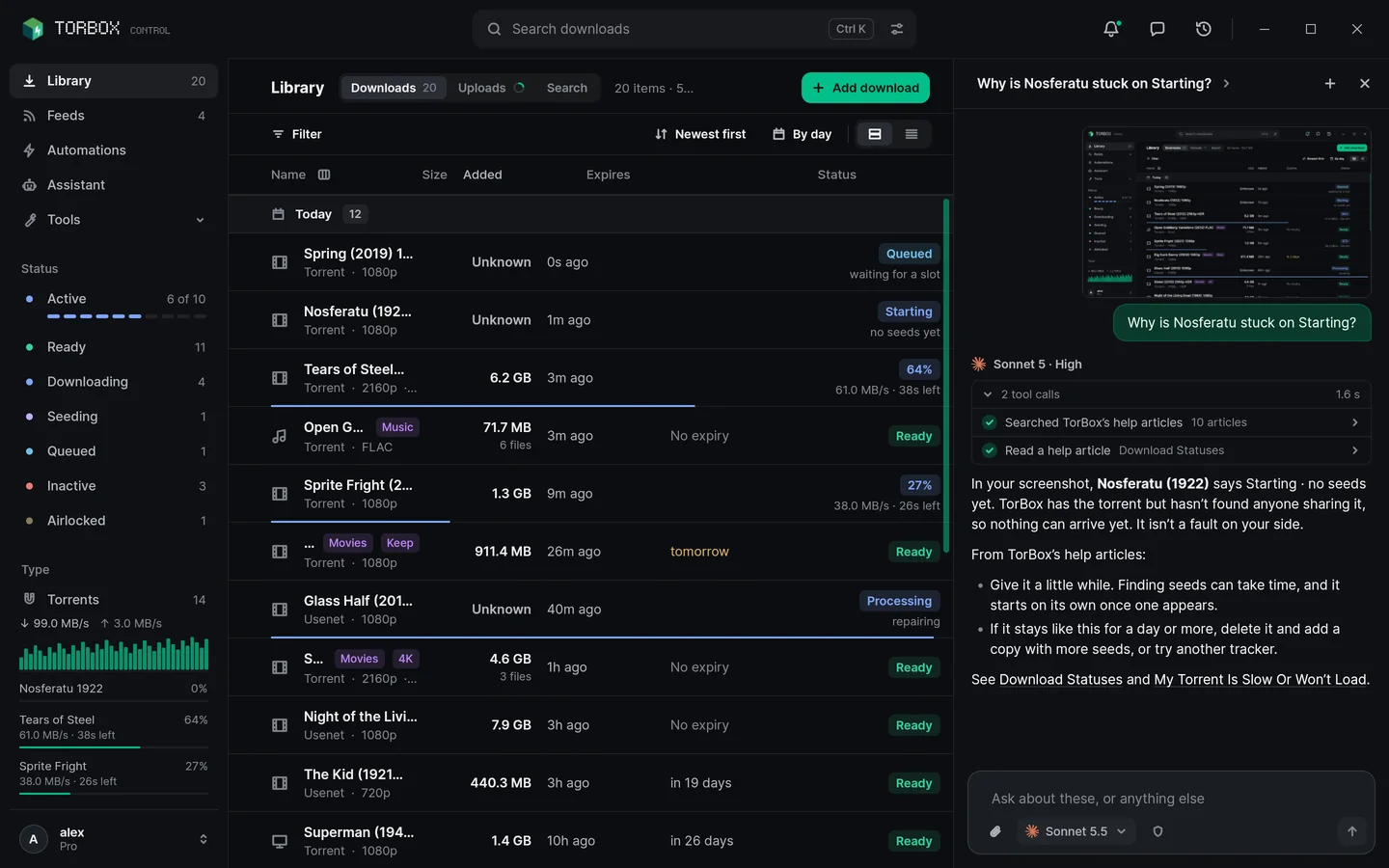
-
Assistant
Nothing changes without your yes
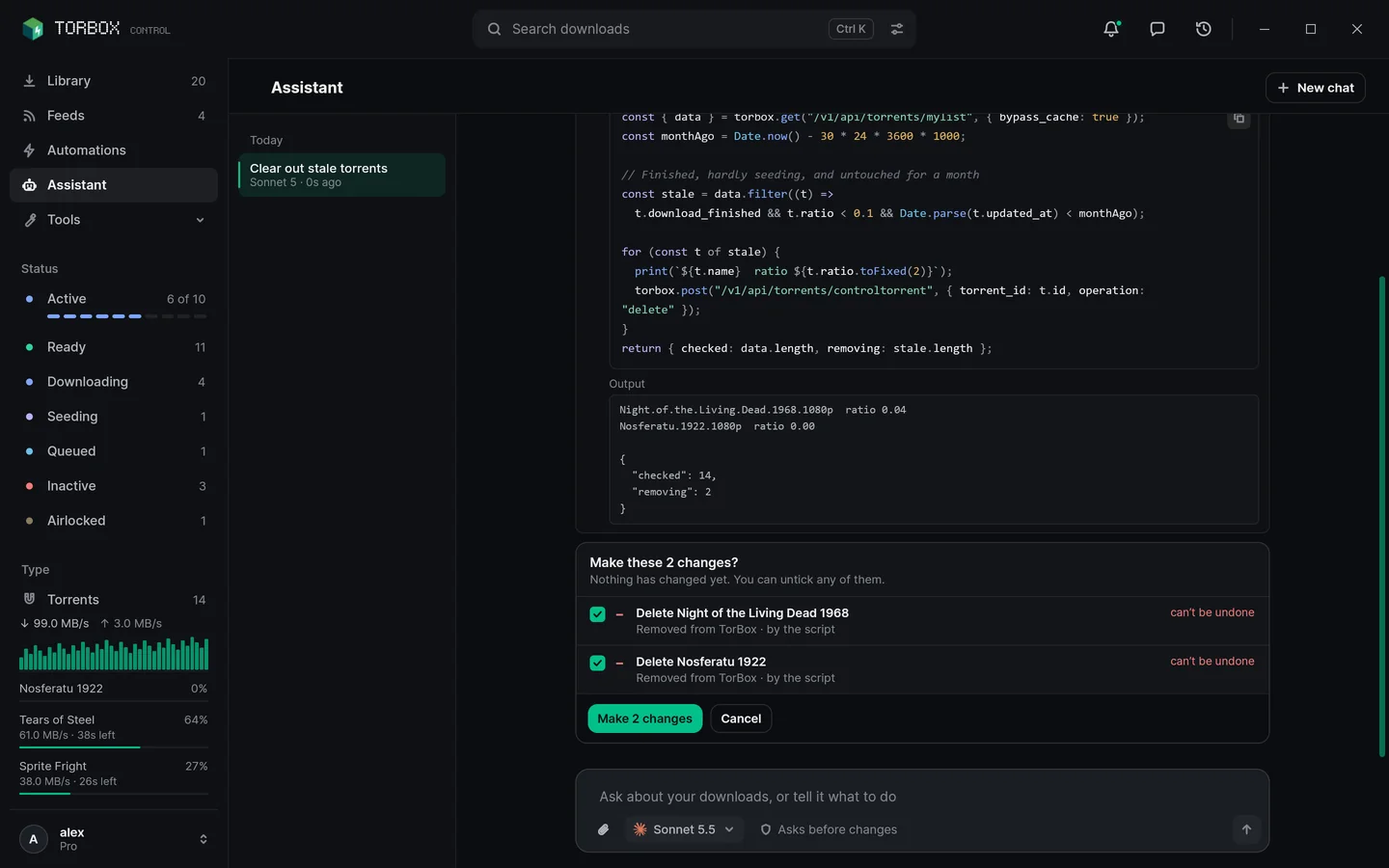
Deletes, renames and new downloads wait on a card that says exactly what will happen. Untick what you don’t want, and undo what can be undone.
Use the AI plan you already pay for.
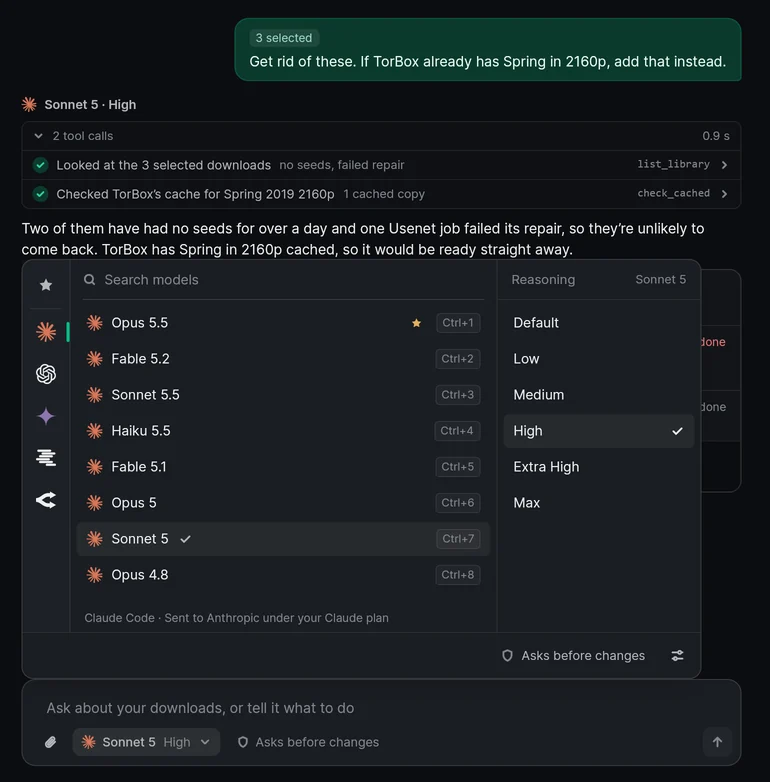
Sign in to a model once, or run one on your own computer. Your TorBox API key stays in the app and never goes to the model.
- ClaudeYour Claude plan, through Claude Code
- CodexYour ChatGPT plan
- GrokYour Grok account
- GeminiYour Google plan, through Antigravity
- LM StudioModels on this computer
- OllamaModels on this computer
- OpenRouterAny model, with your own key
Assistant powered by TorBox MCP.
Download
Install once. New versions download in the background and go in when you restart or quit the app.
Every release is signed, and the app installs an update only when its signature checks out.